
Your organization launches a new program, someone writes a press release, the press release gets uploaded to the website, the link gets shared on Facebook, and then… that’s it. Meanwhile, the communications team is already asking the familiar question:
“What are we posting next week?”
For government agencies, nonprofits, and community organizations with limited communications capacity, constantly creating brand-new content isn’t always realistic—or necessary.
Your organization may already have plenty of content.
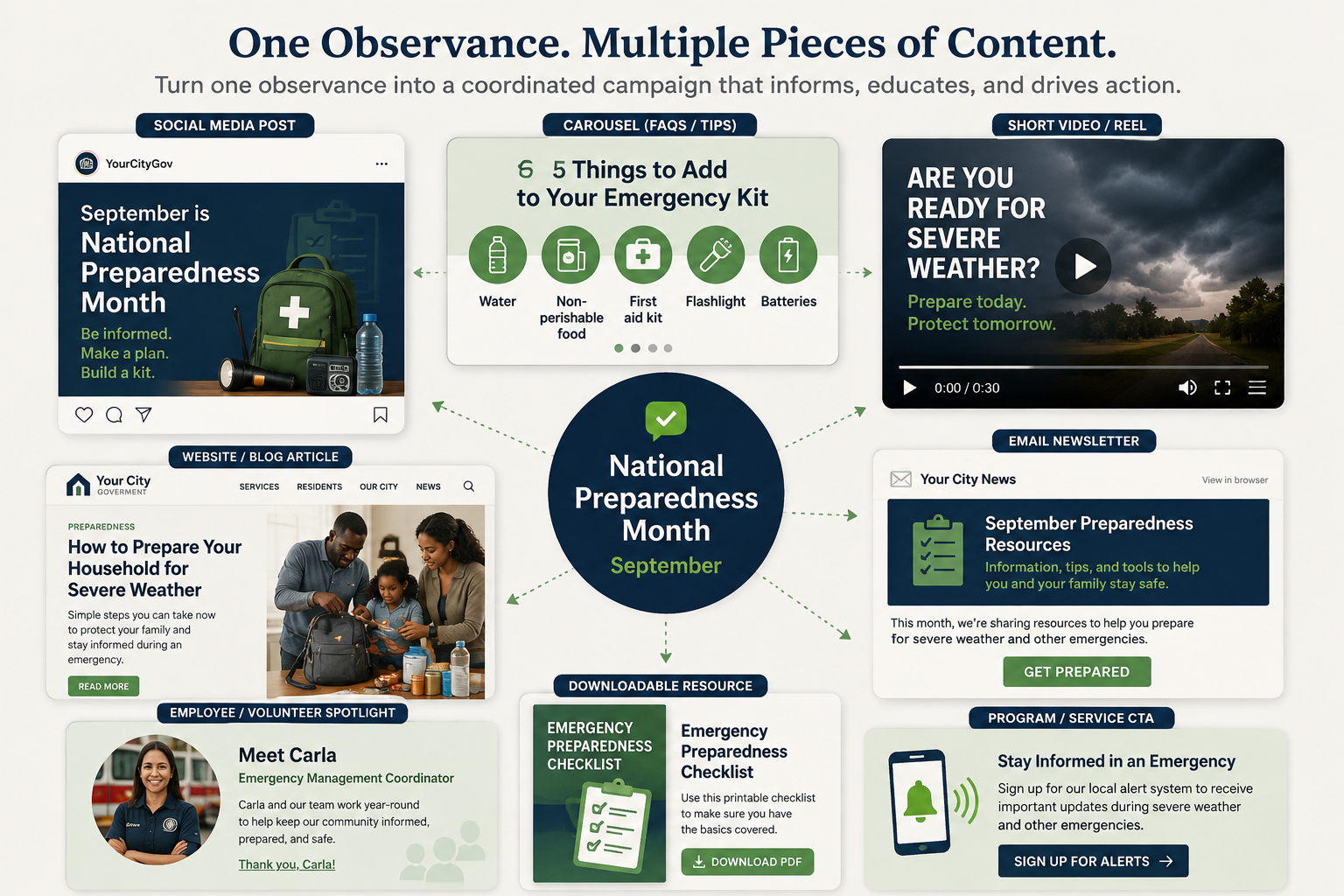
The bigger opportunity is learning how to repurpose public information into content designed for different audiences, platforms, and stages of your campaign.

Content Repurposing Isn’t Just Copying and Pasting
Content repurposing sometimes gets interpreted as posting the same message everywhere, and that’s not the goal. Effective content repurposing for government and nonprofit communications starts with one core piece of information and adapts it based on how and where people will encounter it.
A detailed news release might work perfectly on your website but poorly as an Instagram caption. A 30-second video might successfully introduce a program but won’t provide enough information to explain complicated eligibility requirements.An infographic may make a deadline easy to understand but isn’t the right format for explaining an initiative’s history. The information stays consistent, the presentation changes.
Start With the Core Public Information
Imagine your city, agency, or nonprofit launches a new small-business assistance program.
The core information might include:
- What assistance is available
- Who is eligible
- When applications open
- When applications close
- What documentation is required
- How businesses apply
- Where applicants can get assistance
- Who to contact with questions
Instead of viewing that information as one announcement, think of it as your source material.
From there, you can build an entire communications cycle.
1. Create the Main Announcement
Start with a comprehensive source of information. Depending on your organization, that might be a webpage, news release, blog article, program landing page, or official announcement. This becomes the central location for complete and authoritative information.
Your shorter content can then direct audiences back to this source when they need details. This also reduces the temptation to squeeze every eligibility requirement, deadline, phone number, disclaimer, and application instruction into one social media graphic.
Your graphic doesn’t need to become a PDF wearing an Instagram costume. Let each platform do what it does best.
2. Turn the Announcement Into Social Media Content
Next, identify the most important takeaway for your audience. Instead of trying to summarize the entire announcement, answer:
Why should someone care about this?
For the hypothetical small-business program, the social post might lead with:
Local small businesses may qualify for financial assistance through a new city program.
Then include the most important deadline and direct people to the full details. You could also adapt the message for different platforms. LinkedIn content might emphasize economic development or partnerships. Facebook might prioritize program details and community sharing. Instagram might use a simple visual, carousel, or short video to explain the opportunity. The underlying information remains consistent while the delivery changes.
3. Turn Frequently Asked Questions Into Content
If your program has requirements, people will have questions. That’s content.
Instead of treating questions as something communications teams only answer individually through email, comments, or phone calls, identify recurring questions and answer them publicly.
For example:
Who can apply?
What documents will I need?
Can nonprofits apply?
Is there an application fee?
How long does approval take?
Those answers could become a social media carousel, an FAQ webpage, a short-form video series, a newsletter section, or individual reminder posts. This improves your public information strategy while potentially reducing confusion and repetitive inquiries.
4. Create Reminder Content
People miss announcements. They also see posts while they’re busy, save information and forget about it, or intend to apply later. That’s normal, so a reminder isn’t unnecessary just because your organization already announced something. Build reminders into your content plan from the beginning.
You might publish one when applications open, another halfway through the application period, and a final reminder before the deadline. The message can also change as the deadline approaches.
Your launch content answers:
“What is this?”
Your reminder content answers:
“Have you done this yet?”
That’s an important distinction.
5. Close the Communications Loop With Results
Public communication often stops when registration closes, an event ends, or a program launches. But that’s often when another valuable communications opportunity begins. Tell your audience what happened. Depending on the initiative, you might share:
- Number of participants
- Dollars distributed
- Businesses assisted
- Volunteers recruited
- Residents served
- Event photos
- Participant testimonials
- Community partnerships
- Program outcomes
- Information about the next application cycle
This creates a complete communications lifecycle:
Launch → Explain → Remind → Engage → Report
For nonprofits, results content can also demonstrate impact to donors, volunteers, community partners, and potential funders.
For government agencies, it helps residents understand what programs actually accomplished.
One Announcement Can Become Even More Than Five Pieces of Content
Once your organization starts thinking this way, the possibilities expand quickly.
A single program announcement might also produce an email newsletter feature, stakeholder email, short-form video, printable flyer, website banner, presentation slide, partner toolkit, media pitch, infographic, or employee talking points.
That doesn’t mean every announcement needs 15 deliverables.
Instead, ask which formats will help the information reach the people who actually need it.
This is where content strategy becomes more valuable than simply maintaining a posting schedule.
Build Content Repurposing Into Your Communications Planning
The best time to decide how you’ll repurpose an announcement is before the announcement goes out.
When planning a campaign or major initiative, identify:
The core message: What does everyone need to understand?
The audiences: Who specifically needs this information?
The channels: Where are those audiences most likely to encounter it?
The formats: What’s the easiest way to explain it on each channel?
The timeline: When will people need reminders or additional information?
The outcome: What can you share afterward to demonstrate results?
Now you’re not simply publishing content.
You’re building a communication system around the information.
Stop Asking What You’re Going to Post
For organizations with small communications teams—or employees balancing communications alongside other responsibilities—content repurposing can significantly reduce the pressure to create something new constantly.
Before asking:
“What are we going to post this week?”
Try asking:
“What information do we already have that our audience still needs?”
Your meeting agendas, programs, annual reports, FAQs, community events, presentations, data, announcements, and even recurring customer questions can all become useful content.
Chances are, your organization isn’t running out of things to say.
The information hasn’t been turned into content yet.
Lewis & Florence Communications helps government agencies, nonprofits, and community-focused organizations turn programs, initiatives, and public information into coordinated communications campaigns and digital content.
Because creating more content isn’t always the answer.
Sometimes, it’s getting more out of what you already have.